Stay Connected & Pay
Alipay for Foreigners (2026): Step-by-Step Setup
Alipay for foreigners now works with a foreign Visa or Mastercard — no Chinese bank account needed. Verify your passport and link your card at home, and you can scan a QR to pay for everything from street dumplings to a bullet-train ticket. Here is how to do it before you fly, and the gotchas that trip first-timers up.
China runs on mobile payment
Over 90% of urban transactions in China are paid by phone. From a 3 RMB bottle of water to a 3,000 RMB hotel room, scanning a QR code is how the country pays — and since 2023, Alipay for foreigners lets you join in with a foreign Visa, Mastercard, or other major card. No Chinese bank account, no local phone number needed.
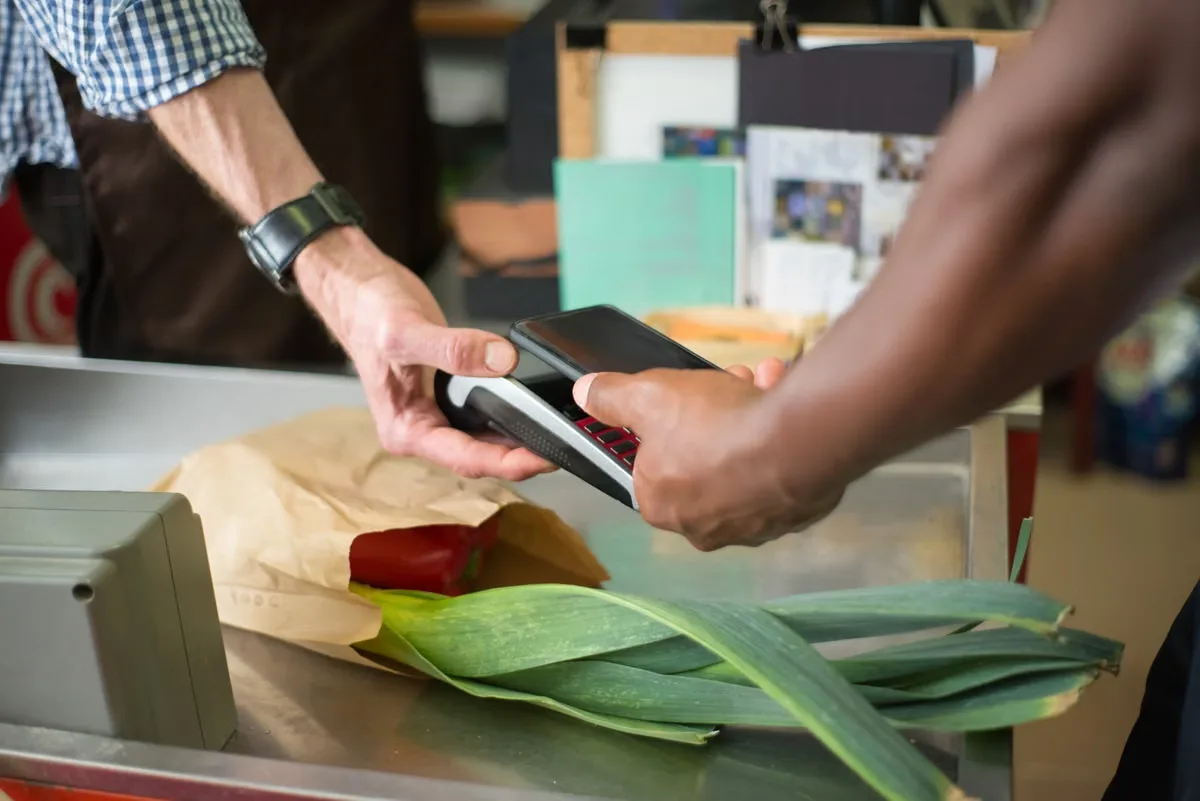
- Scan the shop’s printed QR with your phone, or show your own QR for the shop to scan — both work everywhere.
- Merchants charge in RMB; your card issuer converts to your home currency at their rate.
- No cash, no change, no Mandarin phrasebook needed for the 90% of transactions that go through a phone.
Alipay is a whole wallet, not just a payment button
Linking your foreign card unlocks more than checkout. Inside the same app you can ride, eat, travel, and pay bills.
Set up Alipay for foreigners in five steps, at home
Here is how to use Alipay in China as a foreigner, done on your home Wi-Fi before you fly. SMS codes and app-store downloads are easier from abroad than from a China hotel room, and you will not have to hand your passport to a stranger at an airport kiosk.
- Download the Alipay app before you fly. App Store or Google Play, search for the exact name “Alipay” with the blue “A” logo. Finish the install on home Wi-Fi 24 hours before departure, because some app stores are harder to reach inside China.
- Sign up with your home phone number. Open the app, tap Sign Up, pick your country code, enter your mobile number, and enter the SMS code. Set a login password and a separate 6-digit payment PIN. A Chinese number is not required.
- Verify your passport — the step everyone forgets. Go to Me → Settings → Identity Verification. Choose “International Passport,” photograph the photo page of your passport, and take a live selfie for the face-match. Approval is usually instant but can take up to 24 hours. Without verification your account still works for small payments (typically around 1,000 RMB per transaction and a few thousand RMB per day), but transfers and higher limits stay locked — verify to unlock tens of thousands of RMB per month.
- Link your international card. Me → Bank Cards → Add Card. Visa and Mastercard are supported everywhere; JCB, Discover, and Diners Club work in most regions. American Express support is limited and varies by issuer, so bring a Visa or Mastercard as your main card. Your bank may send a 3D Secure code or a small refundable verification charge.
- Make one small test payment before you board. Buy anything cheap on your home network — a song, a coffee top-up, a transit pass — to confirm the card works and your PIN prompts correctly. Fixing a blocked card is far easier from home than from a Chengdu market.
Quick checklist
Before you fly — 60 seconds
Run through this the day before you leave, on your home Wi-Fi.
- Alipay downloaded and logged in with your home phone number.
- Passport verified in Identity (you should see “Verified” on your profile).
- Foreign card linked, and one small test payment went through.
- Bank has been told you will be transacting in China, so it does not block the charges.
The gotchas that trip people up
Alipay for foreigners works well in 2026, but a handful of real-world frictions still catch first-timers. Skim these before you fly.
Many banks auto-block charges from Chinese payment processors as suspected fraud. Use your banking app or call the number on the back of the card to flag that you will be transacting in China. Otherwise your first cup of coffee in Shanghai will fail, and the block takes a day to clear.
If a VPN is active, Alipay may reject the payment or flag the session for review. Pay with the VPN off, then switch it back on. (You still want a VPN that works in China for everything else — just not at the checkout.)
Two fees stack on top of the RMB price. Alipay itself is free for any single payment of 200 RMB or less; above that it charges a 3% service fee on the full amount. Your card issuer then adds its own foreign-transaction fee, usually 1–3%. A card with no foreign-transaction fee (such as a travel-focused credit card) saves a noticeable sum on a two-week trip.
Unverified accounts still work for small payments (typically around 1,000 RMB per transaction and a few thousand RMB per day), but transfers and higher limits stay locked. The five-minute passport step in setup unlocks tens of thousands of RMB per month, which covers any realistic first-trip spending.
Never scan a QR code that arrives in a text, email, or social-media message claiming to collect a payment. Pay only the printed QR at the counter, or show your own QR to the cashier. See our China scams guide.
A linked card occasionally fails at a small vendor or in a remote area. A few hundred RMB in your pocket saves the moment, and Chinese banks and ATMs still hand out cash with a passport.
About the old Tour Pass — you can skip it
You may read online about Alipay’s prepaid “Tour Pass” wallet, where you top up a balance from a foreign card and spend it down. That was the workaround before 2023, when direct card linking did not exist. In 2026, the direct-link flow covered in the setup above is simpler, has higher limits, and works at every merchant that takes Alipay. If you find a “Tour Pass” or “TourCard” option in the app, treat it as a backup: TourCard (a Bank of Shanghai prepaid card) only helps if you need to send money to a Chinese friend, and it charges a 5% top-up fee. For ordinary shopping, transit, and food, link your foreign card directly — it is cheaper and simpler.
Common questions
Do I need a Chinese bank account?
No. Alipay for foreigners links to a foreign Visa, Mastercard, or other major card, so you do not need a mainland Chinese bank account or phone number. The full setup in the steps above works on a foreign number and a foreign card.
Which foreign cards work with Alipay?
Visa and Mastercard work everywhere. JCB, Discover, and Diners Club are accepted in most regions, while American Express support is limited and varies by issuer. Bring a Visa or Mastercard as your main card and treat the rest as a backup. Some issuing banks reject the first charge regardless of network, which is why the test payment step matters.
Will my card be charged in dollars or RMB?
The merchant charges RMB. Alipay passes that through to your card, and your card issuer converts RMB to your home currency at their exchange rate, usually adding a foreign-transaction fee of 1–3%. Alipay itself is free for any single payment of 200 RMB or less; above that it adds a 3% service fee on the full amount. Check both the app and your card terms before you travel.
What is the Alipay spending limit for foreigners?
Without passport verification your account still works for small payments — typically around 1,000 RMB per transaction and a few thousand RMB per day — but transfers and higher limits stay locked. After you verify your passport in Identity, the limit rises to tens of thousands of RMB per month, which covers any realistic first-trip spending. Exact caps change; the Alipay app shows the current numbers under your profile.
Do I also need WeChat Pay, or is Alipay enough?
Alipay covers the vast majority of payments and is the smoother first app to set up as a foreigner. WeChat Pay is also accepted, and you will probably install WeChat anyway for messaging. Set up Alipay first, then add WeChat Pay from the China travel apps guide as a backup.
Is it safe to scan QR codes in China?
Yes, as long as the QR belongs to the merchant in front of you — a printed QR on the counter, or a QR shown by the cashier on their device. Never scan a QR code that arrives in a text, email, or social-media message claiming to collect a payment; those are a common scam. See our China travel scams guide for the full list.
Payments sorted — now finish the rest of your phone
Alipay is one of three apps every first-timer sets up before flying. Our digital setup hub covers the full order — eSIM, VPN, Alipay, and maps — and the China travel apps guide rounds out the rest. If you want a day-by-day plan, our custom China itinerary service strings it together.